
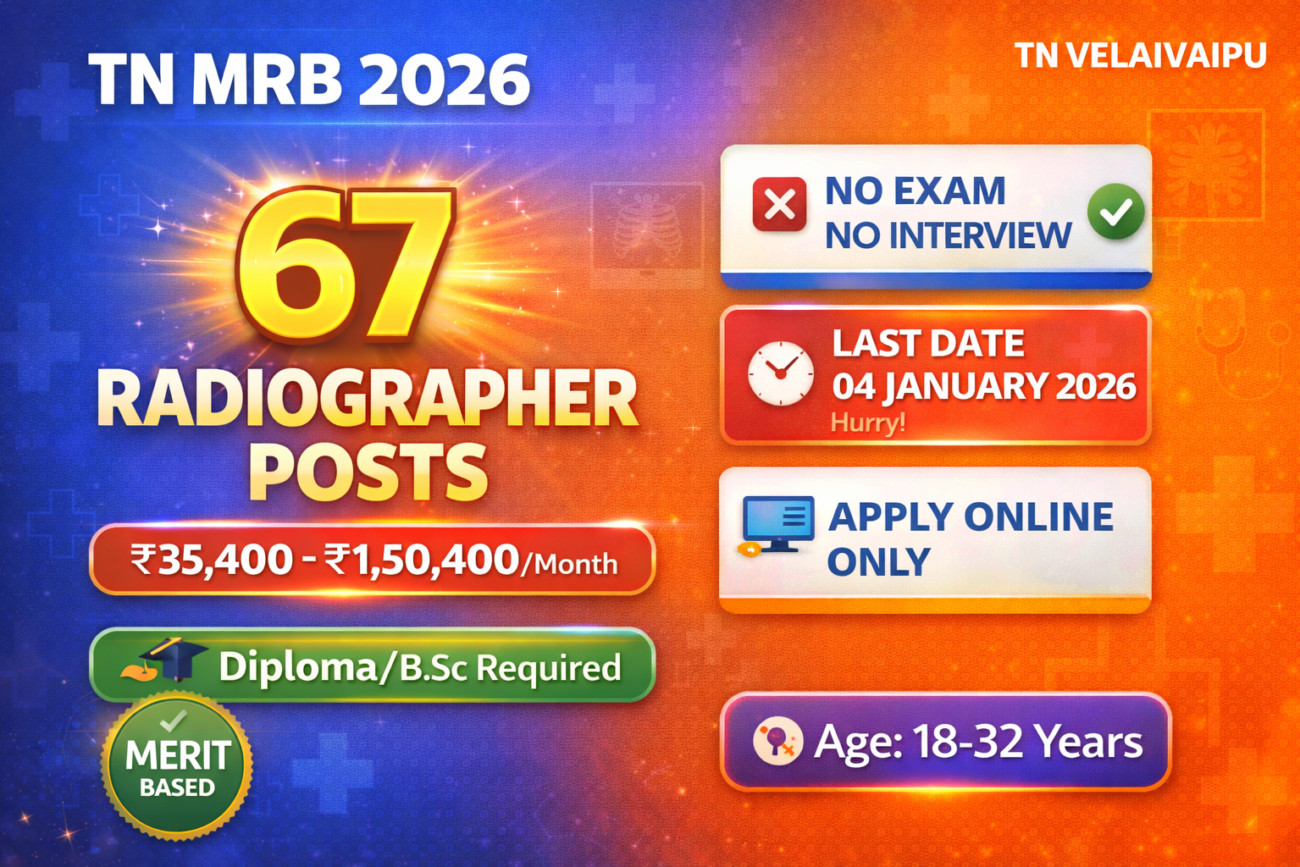
The Medical Services Recruitment Board (MRB), Tamil Nadu has released an exciting opportunity for aspiring healthcare professionals. The TN MRB Radiographer Recruitment 2026 notification announces 67 vacancies for the post of Radiographer in Tamil Nadu Medical Subordinate Service. This is a golden opportunity for candidates with a Diploma or Bachelor’s degree in Radio Diagnosis Technology to build a rewarding career in the government healthcare sector with an attractive salary package and excellent benefits.
Eligible candidates must submit their applications through the online mode only before the deadline of 04 January 2026. The selection will be made purely on a merit basis without any interview, based on academic qualifications. This comprehensive guide provides all the essential details you need to apply successfully for this prestigious government position.
🎯 KEY HIGHLIGHTS AT A GLANCE
✅ Organization: Medical Services Recruitment Board (MRB), Tamil Nadu
✅ Post Name: Radiographer
✅ Total Vacancies: 67 Posts
✅ Qualification Required: Diploma or B.Sc in Radio Diagnosis Technology
✅ Salary Range: ₹35,400 – ₹1,30,400 (Pay Matrix Level 11)
✅ Notification Date: 15 December 2025
✅ Last Date to Apply: 04 January 2026
✅ Application Mode: Online Only
✅ Selection Process: Merit-based on academic marks (No Interview)
✅ Age Limit: 18-32 years (OC), No maximum for reserved categories
✅ Application Fee: ₹300 (SC/ST/DAP), ₹600 (Others)
✅ Job Location: Various Medical Institutions across Tamil Nadu
TABLE OF CONTENTS
- About Medical Services Recruitment Board (MRB)
- TN MRB Radiographer Recruitment 2026 Overview
- Post Details and Vacancies
- Detailed Salary Breakdown
- Eligibility Criteria
- Reservation Policy
- Important Dates
- Application Fee
- Document Specifications
- How to Apply Online
- Selection Process
- After Selection – Joining Process
- Contact Information & Helpline
- Important Links
- Conclusion
- Frequently Asked Questions (FAQs)
About Medical Services Recruitment Board (MRB)
The Medical Services Recruitment Board (MRB) is a prestigious statutory body established by the Government of Tamil Nadu to conduct recruitment for various medical and paramedical positions in state government hospitals and healthcare institutions. Located at the 7th Floor, DMS Buildings, Anna Salai, Teynampet, Chennai, MRB plays a crucial role in maintaining the quality and standards of healthcare services across Tamil Nadu.
MRB is responsible for recruiting qualified professionals for Tamil Nadu Medical Subordinate Service and ensures that only merit-based candidates are selected through transparent and fair recruitment processes. The board conducts examinations and selections for various paramedical positions including Radiographers, Laboratory Technicians, Nurses, Pharmacists, and other healthcare support staff.
Why Choose MRB as Your Employer?
Working with MRB-recruited positions in Tamil Nadu government healthcare system offers numerous advantages including job security, attractive salary packages with regular increments, comprehensive medical benefits, pension schemes, and opportunities for career growth. The organization is committed to providing quality healthcare services to the people of Tamil Nadu while ensuring employee welfare and professional development.
The Medical Services Recruitment Board follows all government norms and regulations, ensures equal opportunities for all candidates regardless of caste, creed, or gender, and maintains the highest standards of integrity in its recruitment processes. Employees enjoy a work-life balance, professional respect, and the satisfaction of serving society through the noble healthcare profession.
TN MRB Radiographer Recruitment 2026 Overview
The TN MRB Radiographer Recruitment 2026 is a significant opportunity in the Tamil Nadu healthcare sector. The Medical Services Recruitment Board has announced 67 vacancies for the prestigious position of Radiographer in various government medical institutions across the state. This recruitment drive aims to strengthen the diagnostic imaging services in government hospitals and healthcare centers.
Key Features of This Recruitment:
This recruitment is particularly noteworthy for several reasons. Firstly, it offers direct entry into government service without requiring candidates to face an interview process – selection is purely merit-based on academic qualifications. Secondly, the position comes with an attractive Pay Matrix Level 11 salary structure starting from ₹35,400 and going up to ₹1,30,400, along with comprehensive allowances and benefits.
The vacancies are distributed across various categories ensuring representation and opportunities for all sections of society including SC/ST, OBC, MBC, and general category candidates. Special reservations are also provided for women (30%), differently-abled persons (4%), ex-servicemen (5%), and persons who studied in Tamil medium (20%).
Scope and Responsibilities:
As a Radiographer in Tamil Nadu Medical Subordinate Service, selected candidates will be responsible for operating radiological equipment, conducting diagnostic imaging procedures including X-rays, maintaining equipment, ensuring patient safety during procedures, maintaining records, and supporting doctors in diagnostic processes. This role is critical in modern healthcare delivery and offers excellent opportunities for professional growth and specialization.
The position also comes with job security, pension benefits, medical facilities for self and family, leave travel concession, and various other government employee benefits. Radiographers in government service are highly respected professionals who play a vital role in disease diagnosis and treatment planning.
Post Details and Vacancies
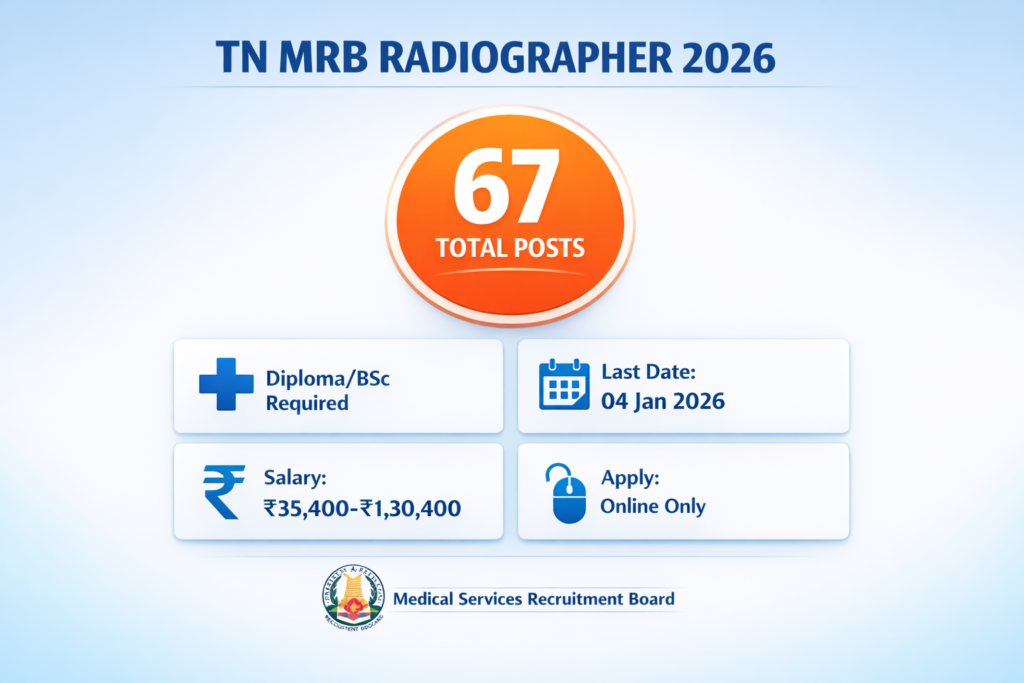
Vacancy Distribution Table
The 67 vacancies for Radiographer posts are distributed across various categories following the Government of Tamil Nadu’s reservation policy. Here is the detailed breakdown:
| Category | General (G) | Women (W) | PSTM | Ex-Servicemen | DAP | Backlog | Shortfall | Total |
|---|---|---|---|---|---|---|---|---|
| GT (General Turn) | 10 | 5 | 3 | 1 | 1 | – | – | 20 |
| BC (Backward Class) | 7 | 4 | 2 | 1 | 1 | 2 | – | 17 |
| BCM (BC Muslim) | – | 1 | 1 | – | – | – | – | 2 |
| MBC/DNC | 6 | 3 | 2 | 1 | 1 | – | 1 | 14 |
| SC (Scheduled Caste) | 3 | 2 | 1 | – | – | 1 | – | 9 |
| SCA (SC Arunthathiyar) | 1 | – | – | 1 | – | – | – | 2 |
| ST (Scheduled Tribe) | 1 | – | – | – | – | – | 2 | 3 |
| TOTAL | 28 | 15 | 9 | 4 | 3 | 3 | 3 | 67 |
Legend:
- G = General Category
- W = Women Reservation (30%)
- PSTM = Person Studied in Tamil Medium
- DAP = Differently Abled Person
- GT = General Turn
- BC = Backward Class
- BCM = Backward Class Muslim
- MBC/DNC = Most Backward Class / Denotified Community
- SC = Scheduled Caste
- SCA = Scheduled Caste (Arunthathiyars)
- ST = Scheduled Tribe
Post Specifications
| Aspect | Details |
|---|---|
| Post Name | Radiographer |
| Service | Tamil Nadu Medical Subordinate Service |
| Total Vacancies | 67 (Excluding meritorious sportsperson reservation) |
| Pay Matrix Level | Level 11 |
| Pay Scale | ₹35,400 – ₹1,30,400 per month |
| Nature of Appointment | Regular/Permanent (after probation) |
| Probation Period | As per Government rules |
| Place of Posting | Government Medical Institutions across Tamil Nadu |
| Work Profile | Operating X-ray and radiological equipment, conducting diagnostic imaging procedures, maintaining equipment, patient care during procedures, maintaining records |
Important Note: The number of vacancies advertised is indicative and subject to change (increase or decrease) based on actual vacancy position before finalization of selection. The board reserves the right to modify vacancy numbers at any stage of the recruitment process.
Detailed Salary Breakdown
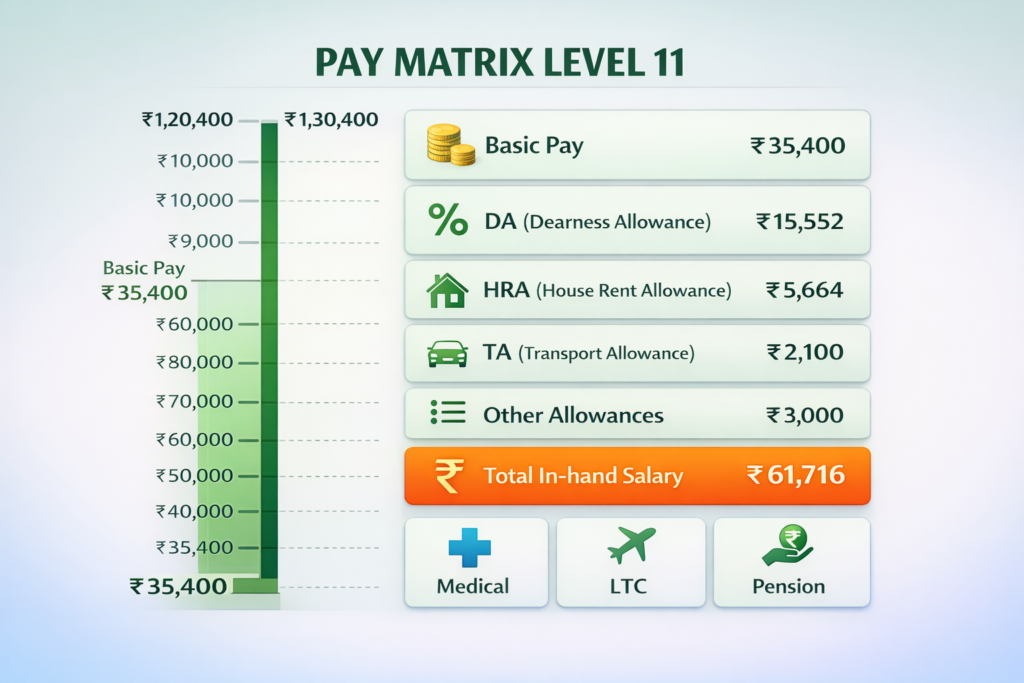
The TN MRB Radiographer position offers an attractive compensation package under Pay Matrix Level 11 with a basic pay range from ₹35,400 to ₹1,30,400 per month. Here’s a comprehensive breakdown of the salary structure and benefits:
Monthly Salary Components
| Component | Details | Approximate Amount |
|---|---|---|
| Basic Pay (Entry Level) | As per Pay Matrix Level 11 | ₹35,400 |
| Dearness Allowance (DA) | Currently 50% of Basic Pay (subject to revision) | ₹17,700 |
| House Rent Allowance (HRA) | 24% (X Class Cities), 16% (Y Class), 8% (Z Class) | ₹5,664 – ₹8,496 |
| Transport Allowance (TA) | As per Government norms | ₹1,600 – ₹3,200 |
| Medical Allowance | For self and family | Included |
| Other Allowances | Special allowances as applicable | Variable |
| Approximate In-Hand Salary | After deductions (Initial) | ₹60,000 – ₹65,000 |
Annual Increments and Growth
- Annual Increment: Regular yearly increment as per Tamil Nadu Government rules
- Maximum Salary: Can reach up to ₹1,30,400 (basic pay) at the top of the pay scale
- Promotion Opportunities: Career progression to Senior Radiographer and higher positions
- Grade Pay: As per revised pay commission recommendations
Additional Benefits and Perks
1. Leave Travel Concession (LTC)
- Once in two years for travel anywhere in India
- Covers employee and family members
- Reimbursement as per Government rules
2. Medical Benefits
- Free medical treatment for employee and dependents
- Cashless treatment at Government hospitals
- Medical reimbursement for treatment at private hospitals (as per rules)
3. Pension and Retirement Benefits
- New Pension Scheme (NPS) contribution
- Gratuity on retirement
- Commutation of pension option
- Leave encashment on retirement
- General Provident Fund (GPF)
4. Leave Benefits
- Earned Leave: 30 days per year
- Casual Leave: As per rules
- Medical Leave: As per requirement with proper certification
- Maternity Leave: For women employees
- Paternity Leave: For male employees
5. Other Allowances
- Children Education Allowance
- Hostel Subsidy for children
- Special allowances for difficult/remote area postings
- Night shift allowance (if applicable)
6. Job Security and Benefits
- Permanent government position after successful probation
- Job security until retirement (age 60)
- Protection under service rules
- Regular promotions based on seniority and merit
- Professional development opportunities
Salary at Different Career Stages
| Career Stage | Approximate Basic Pay | Approximate Gross Salary |
|---|---|---|
| Entry Level (0-2 years) | ₹35,400 | ₹60,000 – ₹65,000 |
| Mid Career (5-10 years) | ₹50,000 – ₹70,000 | ₹85,000 – ₹1,20,000 |
| Senior Level (15+ years) | ₹90,000 – ₹1,30,400 | ₹1,50,000 – ₹2,20,000 |
Note: The exact salary may vary based on posting location, applicable allowances, deductions, and periodic revisions by the Government. DA rates are revised twice a year based on inflation indices.
Eligibility Criteria
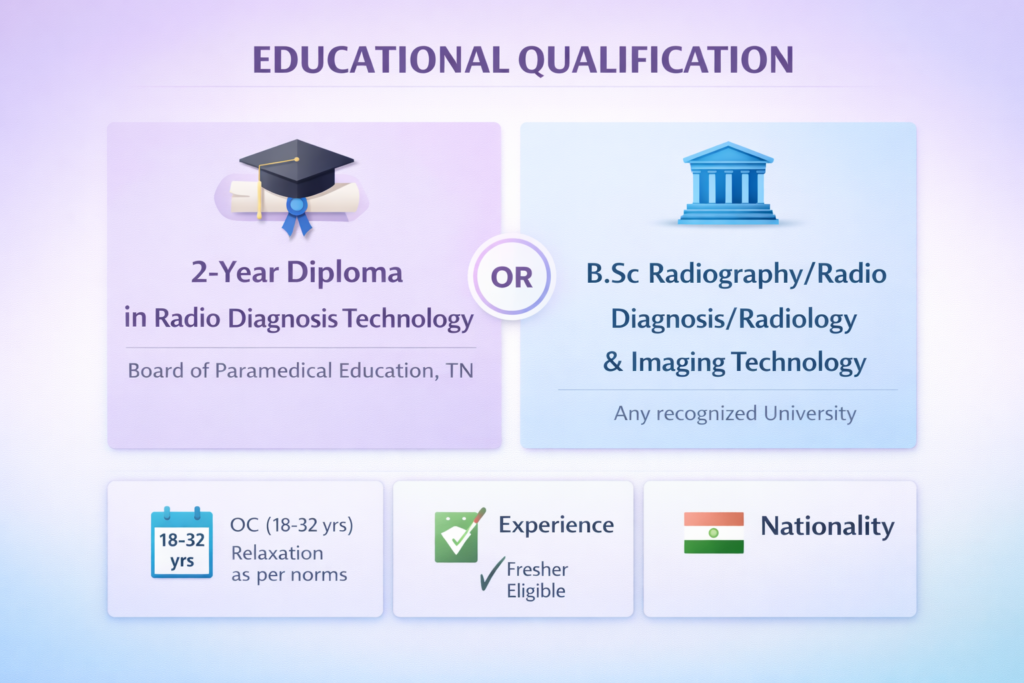
Candidates must fulfill all the eligibility conditions before applying for the TN MRB Radiographer Recruitment 2026. The board will verify all eligibility criteria during the certificate verification stage.
Educational Qualification
Candidates must possess ONE of the following qualifications as on 15 December 2025 (notification date):
Option 1: Diploma Holders
- 2-year Diploma course in Radio Diagnosis Technology
- Must be conducted by the Board of Paramedical Education under the Directorate of Medical Education and Research, Government of Tamil Nadu
- Can be from Government Medical Institution OR any other institution recognized by the Government of Tamil Nadu for this purpose
Option 2: Degree Holders
- B.Sc. (Radiography and Imaging Technology) OR
- B.Sc. (Radio Diagnosis Technology) OR
- B.Sc. (Radiology and Imaging Technology)
- From any University recognized by the Government of Tamil Nadu
Important Notes:
- Candidates claiming equivalent qualification must provide proof (Government Order for equivalence)
- The qualification must be completed and obtained before the notification date
- Candidates awaiting results or having backlogs are NOT eligible
- All documents must be from recognized institutions only
Age Limit (as on 01 July 2025)
| Category | Minimum Age | Maximum Age |
|---|---|---|
| OC (Others/General) | 18 years | 32 years* |
| SC/ST/SCA/BC/BCM/MBC/DNC | 18 years | No maximum limit** |
| Differently Abled Person (DAP) | 18 years | 42 years |
| Ex-Servicemen (Others) | 18 years | 48 years |
| Ex-Servicemen (SC/ST/BC/MBC) | 18 years | 53 years |
Important Age-Related Points:
*As per G.O.(Ms).No.91, Human Resources Management Department, dated 13.09.2021
**”No Maximum Age Limit” means candidates should not have completed 60 years of age as on 01.07.2025 or at the time of selection/appointment
Age Relaxation Rules
1. For Differently Abled Candidates:
- 10 years relaxation over and above the prescribed age limit
- Must produce valid DAP certificate from Medical Board
- Disability should be between 40% to 70% (lower limb locomotory disability)
2. For Ex-Servicemen:
- Those who have already been recruited to any government service cannot claim ex-servicemen concession again
- Must produce discharge certificate if already discharged
- Serving personnel must provide undertaking and certificate from Commanding Officer
- Must be due to complete specified term within one year from last date of application
3. Important Disqualifications:
- Applicants from OC category with 5 or more years of State/Central Government service are NOT eligible, even if within age limit
- This restriction does NOT apply to SC/ST/BC/MBC/DNC candidates
Other Eligibility Conditions
1. Nationality/Domicile:
- Must be a citizen of India
- Must be domiciled in Tamil Nadu
- Community certificate must be from Tamil Nadu authorities only
2. Physical Fitness:
- Must meet prescribed medical standards
- Medical fitness certificate required after provisional selection
- Vision certificate in prescribed format mandatory
3. Character and Conduct:
- Must be of good moral character
- No criminal cases or vigilance cases should be pending
- Character certificates from competent authorities required
4. Service Conditions:
- If currently employed, must produce No Objection Certificate (NOC) from current employer
- Must not be a dismissed government employee
- Must not have been debarred by any recruitment agency
5. Tamil Language Qualification:
- Must have adequate knowledge of Tamil
- Accepted proof: Tamil as language in SSLC OR all non-language subjects in SSLC in Tamil Medium OR Second Class Language Test (Full Test) in Tamil
6. Persons Studied in Tamil Medium (PSTM):
- 20% reservation available for PSTM candidates
- Must have studied in Tamil medium throughout up to the educational qualification prescribed
- Must provide evidence for each educational qualification (SSLC, HSC, Diploma/Degree)
- Certificates from competent authorities required if other documents not available
Reservation Policy
The TN MRB follows the Tamil Nadu Government’s comprehensive reservation policy to ensure equal opportunities for all sections of society. Here’s the detailed reservation framework:
Community-wise Reservation
| Category | Reservation Percentage | Details |
|---|---|---|
| General Turn (GT) | Open Merit | Candidates from all categories can compete |
| SC (Scheduled Caste) | 18% | As per Tamil Nadu Reservation Policy |
| SCA (SC Arunthathiyar) | 3% | Separate reservation within SC quota |
| ST (Scheduled Tribe) | 1% | As per rules |
| BC (Backward Class) | 30% | Excluding BCM |
| BCM (BC Muslim) | 3.5% | Within 30% BC reservation |
| MBC/DNC | 20% | Most Backward Class/Denotified Community |
Important Notes on Community Reservation:
- Reserved category candidates selected on merit against General Turn will NOT affect reserved vacancies
- Persons belonging to Tamil Nadu and listed communities only eligible for reservation
- Candidates from other states cannot claim Tamil Nadu reservation benefits
- Christian converts from Hindu Backward Classes eligible for BC reservation (from 24.02.1986)
- SC converts to Christianity eligible only under BC, not SC
Special Categories Reservation
1. Women Reservation – 30%
- 15 out of 67 posts reserved for women
- Distributed across all communities
- Transgender identifying as “Female” can also apply under women’s reservation
2. Differently Abled Persons (DAP) – 4%
- 3 posts reserved for DAP candidates
- Orthopaedically physically handicapped with locomotory disability of lower limb (40%-70%)
- Must produce fitness certificate from Government Medical College Medical Board
- Can be from any community
3. Ex-Servicemen – 5%
- 4 posts reserved as per 200-point roster
- Age relaxation up to 48 years (Others) and 53 years (SC/ST/BC)
- Those already absorbed in government service cannot claim this benefit again
- Serving personnel completing service within one year can apply
4. Person Studied in Tamil Medium (PSTM) – 20%
- 9 posts reserved for candidates who studied entire education in Tamil medium
- Must have studied in Tamil medium for ALL qualifications up to prescribed educational qualification
- Evidence required from each institution/board
- Partial Tamil medium study NOT accepted
Horizontal Reservation
These reservations are applicable across all vertical community reservations:
- Women: 30% horizontal reservation
- DAP: 4% horizontal reservation
- Ex-Servicemen: 5% horizontal reservation
- PSTM: 20% horizontal reservation
Transgender Reservation
As per Tamil Nadu Government policy:
1. Transgender (Female):
- Can apply under 30% women’s reservation
- Can also apply under 70% general category
- Must have Transgender identity certificate from Tamil Nadu Transgender Welfare Board (TNTGWB)
2. Transgender (Male) and Transgender:
- Can apply under 70% general category
- Must have appropriate identity certificate from TNTGWB
Important Community Lists
Devendrakula Velalalar:
- Includes: Devendrakulathan, Kadaiyan (excluding coastal areas), Kalladi, Kudumban, Pallan, Pannadi, Vathiriyan
SC Arunthathiyar Includes:
- Arunthathiyar, Chakkiliyan, Madari, Madiga, Pagadai, Thoti, Adi Andhra
Note: Complete community list available at MRB website: http://www.mrb.tn.gov.in/pdf/MRB_LIST_COMMUNITIES_020614.pdf
Reservation Guidelines
- Reservation rules applicable as per Tamil Nadu Government orders in force
- Communal rotation followed as per government norms
- Certificate from competent authority mandatory (Tahsildar/RDO/specified officers)
- Certificate format must match G.O.Ms.No.781, Revenue Department, dated 02.05.1988
- Women candidates’ community certificate must bear father’s name
- Candidates must verify their community is in the official list before applying
Important Dates
Candidates must note the following critical dates for the TN MRB Radiographer Recruitment 2026 and ensure timely completion of all steps:
Recruitment Timeline
| Event | Date | Day |
|---|---|---|
| Official Notification Release | 15 December 2025 | Sunday |
| Online Application Start Date | 15 December 2025 | Sunday |
| Last Date for Online Registration | 04 January 2026 | Sunday |
| Last Date for Fee Payment | 04 January 2026 | Sunday |
| Last Date for Document Upload | 04 January 2026 | Sunday |
| Provisional Selection List | To be announced | – |
| Certificate Verification Call | To be announced | – |
| Final Result Declaration | To be announced | – |
| Appointment Letter Issue | After final selection | – |
Critical Timeline Information
Application Window:
- Duration: 21 days (15 December 2025 to 04 January 2026)
- Application Mode: Online Only (No offline/postal applications)
- Timing: Portal open 24×7 during application period
Important Reminders:
⚠️ Last Day Rush: The MRB website may experience heavy traffic on the last date. Candidates are strongly advised to apply well in advance to avoid technical issues.
⚠️ No Extension Policy: The board typically does NOT extend deadlines. Complete your application before the last date.
⚠️ Document Upload Mandatory: Applications without proper document uploads will be rejected. Upload all certificates on the same day as application submission.
⚠️ Fee Payment Deadline: Online fee payment must be completed by 04 January 2026, 11:59 PM. No offline payment accepted.
Future Stages Timeline (Tentative)
While official dates for subsequent stages haven’t been announced, based on previous MRB recruitment patterns, candidates can expect:
Merit List Publication: Expected 2-3 months after last date (approximately March 2026)
Certificate Verification: Expected 3-4 months after last date (approximately April 2026)
- Candidates will be called category-wise
- SMS and email notifications will be sent
- Typically 7-10 days notice given before verification date
Final Selection List: Expected 4-5 months after last date (approximately May 2026)
Appointment Orders: Expected 5-6 months after last date (approximately June-July 2026)
- Issued by appointing authority (not MRB)
- Candidates must join within stipulated time (typically 15-30 days)
Note: These are tentative timelines based on previous recruitment cycles. Actual dates may vary and will be announced on the official MRB website. Candidates should regularly check the website and their registered email/mobile for updates.
How to Stay Updated
- Official Website: Visit https://www.mrb.tn.gov.in daily
- Email: Check registered email regularly (including spam folder)
- SMS Alerts: Keep mobile number active – MRB sends SMS notifications
- Application Dashboard: Log in to your application account periodically
Application Fee
The application fee structure for TN MRB Radiographer Recruitment 2026 is category-based and must be paid through online mode only.
Fee Structure
| Category | Application Fee | Service Charge | Total Amount |
|---|---|---|---|
| SC (Scheduled Caste) | ₹300 | As per payment gateway | ₹300 + Gateway charges |
| SCA (SC Arunthathiyar) | ₹300 | As per payment gateway | ₹300 + Gateway charges |
| ST (Scheduled Tribe) | ₹300 | As per payment gateway | ₹300 + Gateway charges |
| DAP (Differently Abled) | ₹300 | As per payment gateway | ₹300 + Gateway charges |
| Others (OC/BC/BCM/MBC/DNC) | ₹600 | As per payment gateway | ₹600 + Gateway charges |
Payment Methods Accepted
Candidates can pay the application fee through the following online modes:
1. Net Banking
- All major banks supported
- Direct debit from bank account
- Instant confirmation
2. Debit Card
- Visa, Mastercard, RuPay cards accepted
- All major banks supported
- Secure payment gateway
3. Credit Card
- Visa, Mastercard, American Express accepted
- EMI option may be available
- Secure transaction
4. Mobile Wallets
- Paytm, PhonePe, Google Pay and other UPI apps
- Instant payment confirmation
- Cashback offers may apply
Payment Process Guidelines
Step-by-Step Fee Payment:
- Complete the online application form first
- Upload all required documents
- Review your application carefully
- Click on “Proceed to Payment” button
- Select your preferred payment mode
- Enter payment details (card/account number, CVV, OTP, etc.)
- Wait for payment gateway confirmation (DO NOT press back/refresh button)
- Save the transaction ID and payment receipt
- Take a screenshot of successful payment confirmation
Important Payment Instructions
⚠️ Critical Points to Remember:
Before Payment:
- Verify all details in the application form before proceeding to payment
- Once fee is paid, application details CANNOT be modified
- Keep your debit/credit card or net banking details ready
- Ensure sufficient balance in your account
During Payment:
- Do NOT close the browser window during transaction
- Do NOT press the back or refresh button after submitting payment
- Wait patiently for the server response (may take 1-2 minutes)
- Ensure stable internet connection
After Payment:
- Save the payment confirmation page
- Take printout of payment receipt
- Note down the transaction ID
- If payment successful, registration number and password will be generated
- If payment fails but amount debited, wait for 48 hours for auto-refund
Fee Exemptions and Concessions
Who Gets Reduced Fee (₹300)?
- SC/SCA/ST candidates with valid community certificate
- Differently Abled Persons with valid DAP certificate (minimum 40% disability)
- No other fee exemptions available
No Exemptions For:
- Ex-servicemen (must pay as per their community category)
- PSTM candidates (must pay as per their community category)
- Women candidates (must pay as per their community category)
- Economically Weaker Sections (EWS)
Fee Refund Policy
⚠️ NO REFUND POLICY
- Application fee is NON-REFUNDABLE under any circumstances
- Fee will NOT be refunded if candidate is found ineligible
- Fee will NOT be refunded if candidate withdraws application
- Fee will NOT be adjusted for future recruitments
- Fee will NOT be refunded if recruitment is cancelled/postponed
Exception: If amount is debited from your account but application shows “Payment Failed”, the amount will be automatically refunded to your account within 7-10 working days by the payment gateway.
Payment Issues and Solutions
Common Problems and Resolutions:
Problem 1: Payment Failed but Money Debited
- Solution: Wait 48 hours for auto-refund. If not refunded, contact payment gateway customer care with transaction ID.
Problem 2: Payment Successful but Application Not Completed
- Solution: Log in again with your details. If issue persists, contact MRB helpline immediately with payment proof.
Problem 3: Unable to Complete Payment
- Solution: Try different payment mode or browser. Clear cache and cookies. Check internet connectivity.
Problem 4: Transaction ID Not Generated
- Solution: Check your email and SMS for transaction details. Contact bank/payment gateway with details.
Payment Gateway Charges
The actual amount payable may slightly vary due to payment gateway charges (typically ₹5-20) depending on the payment method chosen. This is in addition to the application fee and is not refundable.
Document Specifications
Candidates must upload scanned copies of all required documents while submitting the online application. Proper document specifications must be followed to avoid rejection.
Photograph Specifications
Technical Requirements:
- File Format: JPG/JPEG only
- File Size: Minimum 10 KB, Maximum 100 KB
- Dimensions: 200 pixels (width) x 230 pixels (height)
- Resolution: 200 DPI recommended
- Color: Color photograph mandatory (no black and white)
- Background: White or light-colored background
- Recency: Photograph must be recent (taken within last 3 months)
Content Requirements:
- Clear front-facing view of full face
- Both ears should be visible
- Face should occupy 70-80% of frame
- No spectacles with dark/colored lenses (transparent glasses allowed)
- No cap, hat, or head covering (except for religious reasons)
- Neutral facial expression with both eyes open
- No other person or object in background
- Professional attire recommended
Quality Standards:
- Image should be clear and not blurred
- Proper lighting (not too dark or overexposed)
- No red-eye effect
- No shadows on face
- Good focus and clarity
Signature Specifications
Technical Requirements:
- File Format: JPG/JPEG only
- File Size: Minimum 10 KB, Maximum 50 KB
- Dimensions: 140 pixels (width) x 60 pixels (height)
- Resolution: 200 DPI recommended
- Color: Can be black ink on white paper
- Background: White background only
Content Requirements:
- Signature must be done on white paper with black/blue pen
- Signature should be within a box/rectangle
- Sign inside the box only
- No text or writing below/above signature except applicant’s name in block letters
- Signature should match the one in all certificates
- Full signature (not just initials)
- Clear and legible signature
Quality Standards:
- No blur or smudging
- Complete signature visible
- Proper scan quality
- No shadows or marks
Certificate Upload Requirements
All certificates must be uploaded in the specified format during online application. Original certificates will be verified later during certificate verification stage.
| Document | Format | Max Size | Color/B&W | Pages |
|---|---|---|---|---|
| SSLC/10th Certificate | 500 KB | Color preferred | All pages if multipage | |
| HSC/12th Certificate | 500 KB | Color preferred | All pages if multipage | |
| Diploma/Degree Certificate | 500 KB | Color preferred | Complete certificate | |
| Diploma/Degree Mark Sheets | 500 KB each | Color preferred | All semesters/years | |
| Community Certificate | 300 KB | Color mandatory | Complete certificate | |
| PSTM Certificate | 300 KB | Color preferred | As per format | |
| DAP Certificate | 500 KB | Color preferred | Medical Board certificate | |
| Ex-Servicemen Certificate | 300 KB | Color preferred | Discharge certificate/undertaking | |
| Transgender Certificate | 300 KB | Color preferred | From TNTGWB | |
| NOC (if employed) | 300 KB | Color preferred | From appointing authority |
Document Scanning Guidelines
For Best Results:
- Use flatbed scanner (300 DPI resolution)
- If using mobile camera:
- Use proper lighting
- Keep document flat on plain surface
- Capture straight (not at angle)
- Ensure all corners visible
- Use scanning apps like CamScanner, Adobe Scan
- Save in PDF format
- Compress if file size exceeds limit
- Ensure text is readable after compression
- Do NOT use photo editor to change content
Common Mistakes to Avoid:
- Uploading unclear/blurred documents
- Wrong file format (PNG, DOCX instead of PDF/JPG)
- Oversized files that system rejects
- Incomplete certificates (missing pages)
- Documents at wrong angle or rotated
- Certificates with poor lighting/shadows
- Edited or tampered documents
Name Format Guidelines
Important: Name must be consistent across all documents
Acceptable:
- If name in SSLC: “RAJESH KUMAR” → Use “Rajesh Kumar” in application
- If name in certificates has initials: “R. KUMAR” → Can expand to “Rajesh Kumar”
NOT Acceptable:
- Completely different name spelling
- Name mismatch without proper gazetted name change proof
- Using nickname instead of legal name
If Name Changed:
- Must upload Gazetted notification of name change
- Must provide affidavit for name change
- All documents with new name must be submitted
Digital Signature and Upload Certificate
After uploading all documents:
- A combined PDF will be generated
- Download and verify all uploads are correct
- No modification possible after final submission
- Keep this PDF for future reference
How to Apply Online – Step-by-Step Guide
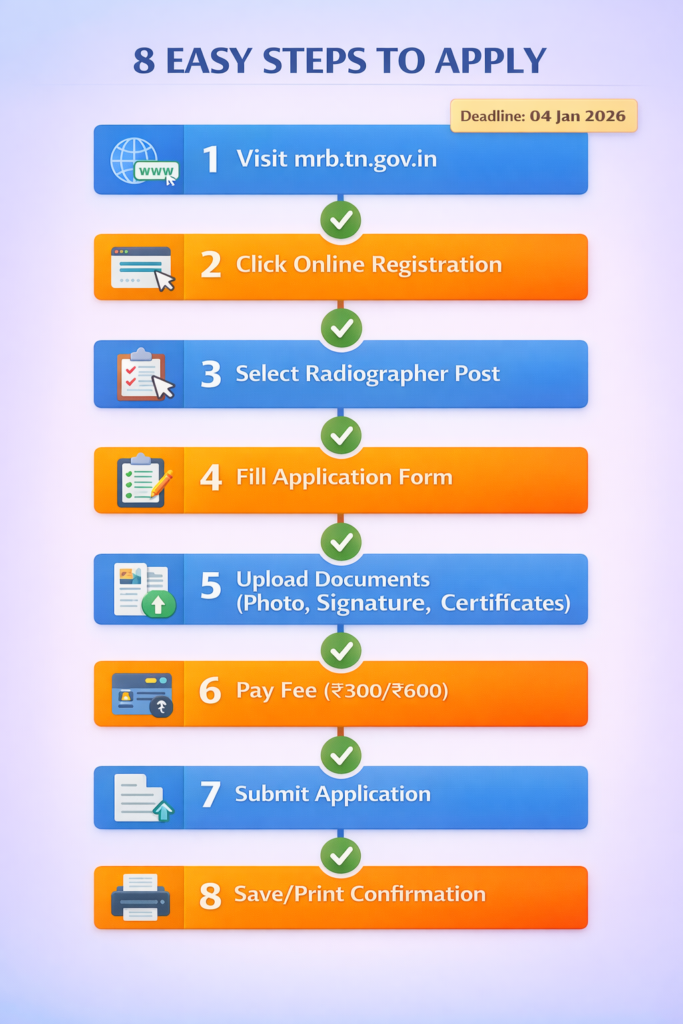
The TN MRB Radiographer Recruitment 2026 accepts applications ONLY through online mode. No offline or postal applications will be accepted. Follow these detailed steps carefully:
Before You Begin – Pre-Requisites Checklist
✅ Digital Documents Ready:
- Scanned color photograph (JPG, 200×230 pixels, max 100 KB)
- Scanned signature (JPG, 140×60 pixels, max 50 KB)
- SSLC/10th certificate (PDF, max 500 KB)
- HSC/12th certificate (PDF, max 500 KB)
- Diploma/Degree certificate (PDF, max 500 KB)
- All mark sheets (PDF, max 500 KB each)
- Community certificate (PDF, max 300 KB) – if applicable
- PSTM certificate (PDF) – if claiming
- DAP certificate (PDF) – if applicable
- Ex-servicemen documents (PDF) – if applicable
- NOC from employer (PDF) – if currently employed
✅ Technical Requirements:
- Computer/laptop with stable internet (minimum 2 Mbps speed)
- Updated web browser (Chrome, Firefox, Edge recommended)
- Valid email ID (create new if don’t have)
- Active mobile number (for OTP verification)
- Payment method ready (debit/credit card, net banking, UPI)
✅ Information to Keep Handy:
- Educational qualifications details
- Community details (if claiming reservation)
- Current address with PIN code
- Permanent address
- Employment details (if applicable)
Detailed Application Process – 15 Steps
STEP 1: Visit Official Website
- Open web browser and visit: https://www.mrb.tn.gov.in
- Check for “Radiographer Recruitment 2026” notification
- Read the complete notification PDF thoroughly
- Download and save notification for reference
STEP 2: Read Instructions
- Click on “Instructions to Candidates” link
- Read all terms and conditions carefully
- Understand document requirements
- Note important dates and fee structure
- Read reservation policy details
STEP 3: Click on Online Registration
- On homepage, locate “Online Registration” or “Apply Online” link
- Click on the link for Radiographer Recruitment 2026
- A new page will open with registration form
- DO NOT press back button once you start
STEP 4: Select Post
- Post Name: Select “Radiographer”
- Carefully verify you’re applying for correct post
- Only one post available, so selection is straightforward
STEP 5: Fill Personal Details
- Full Name (as in SSLC certificate)
- Father’s/Husband’s Name
- Mother’s Name
- Date of Birth (as per SSLC – DD/MM/YYYY format)
- Gender (Male/Female/Transgender)
- Nationality (Indian)
- Note: Use CAPITAL LETTERS where specified
STEP 6: Fill Contact Details
- Mobile Number (will receive OTP and updates)
- Alternative Mobile Number (recommended)
- Email ID (must be active – will receive important updates)
- Current Address (complete with landmark)
- PIN Code
- District, State
- Permanent Address (tick ‘Same as Current’ if applicable)
STEP 7: Fill Category Details
- Community Category: Select SC/SCA/ST/BC/BCM/MBC-DNC/OC
- Enter Community Certificate Number
- Certificate Issuing Authority name
- Date of Certificate Issue
- Are you Person Studied in Tamil Medium? Yes/No
- If Yes, provide details
- Are you Differently Abled? Yes/No
- If Yes, enter DAP certificate details
- Are you Ex-Servicemen? Yes/No
- Gender category for consideration (General/Women/Transgender-Female)
STEP 8: Fill Educational Qualification Details
For SSLC:
- Board Name
- Year of Passing
- Register Number
- Marks Obtained
- Total Marks
- Percentage
- Medium of Instruction
For HSC/PUC:
- Board Name
- Year of Passing
- Register Number
- Marks Obtained
- Total Marks
- Percentage
- Medium of Instruction
For Diploma/Degree:
- Course Name (exact as in certificate)
- University/Board Name
- Year of Passing
- Register Number
- Marks Obtained/CGPA
- Total Marks/Maximum CGPA
- Percentage
- Medium of Instruction
- Name of Institution
STEP 9: Upload Photograph
- Click “Upload Photo” button
- Select your scanned photograph file (JPG, max 100 KB)
- Preview will appear – verify photo is clear and properly visible
- If not satisfied, delete and re-upload
- Once confirmed, click “Final Upload”
STEP 10: Upload Signature
- Click “Upload Signature” button
- Select your scanned signature file (JPG, max 50 KB)
- Preview will appear – verify signature is clear
- Signature with name in block letters should be visible
- Once confirmed, click “Final Upload”
STEP 11: Upload Certificates/Documents
- Click on each document type one by one
- Select the relevant PDF file from your computer
- Upload button will show “Uploaded Successfully” with green tick
- Verify each document uploads correctly
Documents to Upload:
- SSLC Certificate
- HSC Certificate
- Diploma/Degree Certificate
- All Mark Sheets (semester-wise or year-wise)
- Community Certificate (if applicable)
- PSTM Certificate (if claiming)
- DAP Certificate (if applicable)
- Ex-Servicemen Documents (if applicable)
- NOC (if currently employed)
- Any other relevant certificate
STEP 12: Preview and Verify
- Click “Preview Application” button
- Complete application form will be displayed
- Carefully verify EVERY detail:
- Personal information
- Contact details
- Educational qualifications
- Uploaded photo and signature
- All certificates uploaded
- Check for any spelling errors or wrong entries
- THIS IS YOUR LAST CHANCE TO VERIFY – No changes possible after payment
STEP 13: Accept Declaration
- Read the declaration and undertaking carefully
- It includes:
- All information provided is true
- You meet eligibility criteria
- Ready to serve anywhere in Tamil Nadu
- No criminal cases pending
- Not a dismissed government employee
- Other statutory declarations
- Tick the checkbox “I agree to above terms and conditions”
- Enter the captcha code displayed
STEP 14: Make Payment
- Click “Proceed to Payment” button
- Application Fee page will open
- Fee displayed: ₹300 (SC/ST/DAP) or ₹600 (Others)
- Select Payment Mode:
- Net Banking
- Credit Card
- Debit Card
- UPI/Wallets
- Enter payment details as per selected mode
- Click “Submit” and wait (DO NOT press back/refresh)
- IMPORTANT: Keep internet stable, don’t close browser
Transaction Steps:
- Enter card details/account details
- Bank OTP will be sent to registered mobile
- Enter OTP
- Payment processing (wait 30-60 seconds)
- Payment Success page appears
- Transaction ID generated
STEP 15: Save Registration Details
- After successful payment, Registration Number and Password generated
- Application confirmation page displays
- Take screenshot immediately
- IMPORTANT: Note down or save:
- Registration Number
- Password
- Transaction ID
- Payment Receipt Number
- Click “Print Application” to get PDF
- Save PDF in multiple locations (computer, phone, email, cloud)
- Print 2-3 copies for future reference
After Submission
Immediate Actions:
- Check registered email for confirmation mail
- Check registered mobile for SMS confirmation
- Save both email and SMS
- Login again after 24 hours to verify application status
- Take printout of final application form
Important Post-Application Guidelines:
✅ DO:
- Keep registration number and password safe
- Regularly check email and SMS for updates
- Login to application portal periodically
- Check MRB website for announcements
- Keep all documents ready for verification
- Maintain same mobile number and email ID active
❌ DON’T:
- Share registration credentials with anyone
- Apply multiple times (will lead to rejection)
- Provide wrong information
- Upload fake/forged documents
- Miss any updates from MRB
Troubleshooting Common Issues
Issue 1: Photo/Signature Upload Failed
- Check file size (must be under limit)
- Verify file format (only JPG accepted)
- Check dimensions match requirements
- Try compressing file
- Use image editing software if needed
Issue 2: Payment Failed
- Check internet connectivity
- Try different payment mode
- Clear browser cache and try again
- Check if sufficient balance in account
- Try after some time
- Contact bank if amount debited
Issue 3: OTP Not Received
- Check mobile number entered correctly
- Check network signal
- Request resend OTP
- Check SMS inbox and spam
- Try after few minutes
Issue 4: Application Form Not Saving
- Don’t use back button
- Complete one section at a time
- Save draft frequently if option available
- Don’t keep form idle for long
- Use stable internet connection
Issue 5: Certificate Upload Error
- Reduce PDF file size
- Convert to PDF if in other format
- Check all pages are included
- Verify scan is clear
- Try uploading from different browser
Helpline for Application Assistance
Online Application Help Desk:
- Phone: 022-42706513
- Timing: Monday to Saturday, 9:00 AM to 6:00 PM (Except Public Holidays)
- Email: Available on MRB website
For Technical Issues:
- Use helpline number mentioned above
- Explain issue clearly with registration number
- Have screenshots ready if possible
- Note down complaint/ticket number
Important Reminder: Apply well before the last date (04 January 2026) to avoid last-minute rush and technical difficulties. Complete application in one sitting if possible, taking breaks may cause session timeout.
Selection Process
The TN MRB Radiographer Recruitment 2026 follows a transparent merit-based selection process without any written examination or interview. This is a unique feature that makes the selection purely objective and fair.
Selection Methodology
Key Features:
- ✅ No Written Examination
- ✅ No Interview/Oral Test
- ✅ Merit-based on Academic Marks Only
- ✅ Transparent and Fair Process
- ✅ Follows Reservation Rules Strictly
Weightage for Marks Calculation
The selection is based on marks scored in academic and technical qualifications with the following weightage:
| Qualification | Weightage | Maximum Marks Considered |
|---|---|---|
| Diploma/Degree Course | 50% | 50 marks out of 100 |
| HSC/PUC (12th Standard) | 30% | 30 marks out of 100 |
| SSLC (10th Standard) | 20% | 20 marks out of 100 |
| TOTAL | 100% | 100 marks |
Marks Calculation Formula
Example 1: For Diploma Holder
Let’s say a candidate has:
- Diploma: 850 marks out of 1000 (85%)
- HSC: 550 marks out of 600 (91.67%)
- SSLC: 450 marks out of 500 (90%)
Calculation:
- Diploma Score = 85% × 50 = 42.5 marks
- HSC Score = 91.67% × 30 = 27.5 marks
- SSLC Score = 90% × 20 = 18 marks
- Total Merit Score = 88 marks out of 100
Example 2: For Degree Holder
Let’s say a candidate has:
- B.Sc Degree: 75%
- HSC: 88%
- SSLC: 85%
Calculation:
- Degree Score = 75% × 50 = 37.5 marks
- HSC Score = 88% × 30 = 26.4 marks
- SSLC Score = 85% × 20 = 17 marks
- Total Merit Score = 80.9 marks out of 100
Special Calculation for Grade-Based Systems
If CGPA/Grade is given instead of percentage:
Some universities award CGPA instead of percentage. In such cases:
CGPA to Percentage Conversion:
- If CGPA is out of 10: Percentage = CGPA × 9.5
- If CGPA is out of 4: Percentage = (CGPA ÷ 4) × 100
- Some universities have their own conversion formula – use that
Example:
- If Degree CGPA: 8.5 out of 10
- Percentage = 8.5 × 9.5 = 80.75%
- Merit Score = 80.75% × 50 = 40.375 marks
Handling Marks Not Awarded Cases
Special Provision: As per G.O.(Ms).No.331, Health and Family Welfare (C2) Department dated 05.11.2015:
If marks are NOT specifically awarded for Diploma/Degree, but only Pass/Fail status is given, then:
- Selection will be based on marks obtained in SSLC and HSC only
- Diploma/Degree component will be ignored
- Marks will be calculated based on available mark sheets only
Example:
- If only “Pass” is mentioned in Diploma (no marks)
- HSC: 85% → 85% × 60 = 51 marks (doubled weightage)
- SSLC: 90% → 90% × 40 = 36 marks (doubled weightage)
- Total = 87 marks out of 100
Merit List Preparation
Step-by-Step Process:
Stage 1: Initial Screening
- All applications are screened for eligibility
- Incomplete applications rejected
- Applications without proper documents rejected
- Only eligible applications taken for merit calculation
Stage 2: Marks Calculation
- Merit marks calculated as per weightage formula
- Marks verified from uploaded certificates
- Calculations done up to two decimal places
- Any discrepancy leads to rejection
Stage 3: Provisional Merit List
- Candidates arranged in descending order of merit marks
- Separate lists for each category (GT, SC, ST, BC, MBC, etc.)
- Highest scorer ranks first
- Category-wise cut-off determined
Stage 4: Tie-Breaking Rules
If two or more candidates have same marks:
Priority Order:
- Higher marks in Diploma/Degree
- Higher marks in HSC
- Higher marks in SSLC
- Elder in age (Date of Birth – older candidate preferred)
- Alphabetical order of name
Stage 5: Category-wise Selection
- Vacancies filled as per reservation roster
- Community rotation followed strictly
- Horizontal reservations applied (Women, DAP, Ex-servicemen, PSTM)
- Reserved category candidates can be selected against general vacancies on merit
Communal Rotation and Reservation Application
General Turn Vacancies:
- Open for all categories
- Best merit candidates selected
- If reserved category candidate selected here, reserved vacancy remains unfilled for that category
Reserved Category Vacancies:
- Best candidate from that specific category selected
- If no suitable candidate, vacancy may be carried forward
- Relaxation in marks may be considered as per rules
Women Reservation (30%):
- Best women candidates selected category-wise
- Women competing for both general and women-reserved seats
DAP Reservation (4%):
- Best DAP candidates selected
- Must meet disability criteria (40%-70% lower limb)
- Medical fitness mandatory
Ex-Servicemen (5%):
- Age relaxation applicable
- Best ex-servicemen selected as per roster
PSTM (20%):
- Candidates who studied entire education in Tamil medium
- Must provide proper certificates for all qualifications
Certificate Verification Stage
After provisional selection:
Who Will Be Called:
- Candidates selected in provisional merit list
- Called category-wise for document verification
- May call extra candidates as buffer (usually 1.5x to 2x vacancies)
Documents to be Produced:
- All original certificates
- Two attested photocopies of each
- Character certificates (2 – from different authorities)
- Medical fitness certificate
- Any other document specified in call letter
Verification Process:
- Original certificates verified against uploaded documents
- Physical verification of eligibility criteria
- Marks recalculated from original mark sheets
- Any discrepancy leads to disqualification
Possible Outcomes:
- ✅ Verified and Found Eligible – Final selection
- ❌ Documents Not Matching – Rejection
- ❌ Fake/Forged Certificates – Rejection + Legal Action
- ⚠️ Issues Found – Clarification sought / Additional documents required
Final Selection List
Publication:
- Final list published on MRB website
- Selected candidates’ names with registration numbers
- Category-wise, merit-wise arranged
- Appointment authority notified
Waiting List:
- Extra candidates kept in waiting
- Called if selected candidate doesn’t join
- Valid for specified period (usually 1 year)
Important Selection Guidelines
Points to Remember:
- No Minimum Qualifying Marks: There is no minimum cut-off percentage required. Selection is purely merit-based from available candidates.
- Category-wise Cut-off: Cut-off marks vary for each category depending on number of applicants and their merit scores.
- No Age Relaxation in Merit: All candidates compete equally on merit. Age is only for eligibility, not for selection preference (except in tie-breaking).
- Marks Verification: MRB verifies marks from original certificates during verification. Any mismatch leads to rejection.
- No Appeal: MRB’s decision on selection is final. No appeals or representations entertained regarding merit calculation.
- Transparency: Complete process is transparent with merit lists published online.
Disqualification Reasons:
- Fake/forged certificates
- Marks mismatch
- Eligibility criteria not met
- Documents not produced during verification
- Wrong information in application
- Failure to appear for verification when called
Timeline for Selection Stages
Tentative Timeline:
- Applications Scrutiny: 1-2 months after last date
- Provisional Merit List: 2-3 months
- Certificate Verification: 3-4 months
- Final Selection List: 4-5 months
- Appointment Orders: 5-6 months
Note: Actual timeline may vary based on number of applications and administrative procedures.
After Selection – Joining Process
Congratulations on your selection! Here’s what happens after your name appears in the final selection list:
Stage 1: Appointment Letter
Issuance:
- Appointment letters issued by the Appointing Authority (not MRB)
- Sent to registered address and email
- Also published on department website
- SMS notification sent to registered mobile number
Timeline:
- Usually within 1-2 months after final selection list
- Depends on administrative clearances
- May vary by district/institution
Content of Appointment Letter:
- Your name, registration number, and post
- Place of posting (specific government hospital/institution)
- Reporting date and time
- Required documents to carry
- Designation and pay details
- Terms and conditions of service
Stage 2: Document Verification (Final)
Even though documents were verified during selection, final verification happens at time of joining:
Documents Required:
- Original certificates (all educational qualifications)
- Community certificate (original + photocopy)
- Date of birth proof
- Character certificates (2)
- Medical fitness certificate
- NOC from previous employer (if applicable)
- Discharge certificate (ex-servicemen)
- DAP certificate (if applicable)
- PAN Card
- Aadhaar Card
- Bank account details with cancelled cheque
- Passport size photographs (10 copies)
- Any other document mentioned in appointment letter
Verification Process:
- Conducted by appointing authority
- Documents cross-checked with originals
- Photocopies attested and submitted
- Service book initiated
Stage 3: Medical Examination
Certificate of Physical Fitness Required:
For All Candidates:
- Medical fitness certificate in prescribed format (provided at time of joining)
- Vision certificate (Format-III) from Government Medical Officer
- General health check-up
- Blood group and other routine tests
For DAP Candidates:
- Detailed medical examination by Medical Board
- Reassessment of disability percentage
- Specific tests as per disability type
- Fitness for duties certificate
Where to Get:
- Government Medical College Hospital
- District Headquarters Hospital
- As specified in appointment letter
Common Medical Tests:
- Blood pressure, heart rate
- Vision test (with and without glasses)
- Hearing test
- Physical measurements
- Blood tests (CBC, blood group)
- X-ray (chest)
- Any other test as required
Standards:
- Candidate must meet prescribed medical standards
- Any serious health condition may lead to rejection
- Fitness should be adequate for radiographer duties
- Vision requirements important for this position
Stage 4: Joining Formalities
On Reporting Date:
Morning Session (Document Submission):
- Report to specified officer at scheduled time
- Submit all original certificates for verification
- Submit photocopies (attested)
- Fill joining report form
- Provide bank details for salary credit
- Submit photographs
- Get employee ID card initiated
Afternoon Session (Administrative Work): 8. Biometric registration 9. Photo for records 10. Issue of temporary ID card 11. Introduction to department heads 12. Explanation of duties and responsibilities 13. Assignment of initial posting location
Important Instructions:
- Be punctual – late reporting may lead to cancellation
- Dress formally/professionally
- Carry all documents organized in a file
- Bring pen and writing materials
- Keep photocopies ready (self-attested)
Stage 5: Probation Period
Duration:
- Typically 2 years (as per Tamil Nadu service rules)
- May vary based on department norms
- Can be extended in case of unsatisfactory performance
During Probation:
- Regular assessment of work performance
- Supervised by senior officers
- Required to pass departmental tests (if any)
- Performance reports prepared periodically
- Training programs as mandated
Restrictions:
- Cannot apply for higher posts during probation
- Cannot take long leave (except emergency)
- Cannot be transferred to other location (normally)
- Subject to termination if performance unsatisfactory
After Probation:
- Confirmation order issued
- Become regular employee
- All service benefits applicable
- Eligible for promotions
Stage 6: Initial Training
Orientation Training:
- Duration: 1-2 weeks
- Induction to department, rules, and regulations
- Familiarization with equipment and procedures
- Safety protocols training
- Patient handling guidelines
- Record maintenance training
On-the-Job Training:
- Work under supervision initially
- Gradually independent work assigned
- Regular assessments
- Skill development programs
Mandatory Tests:
- May need to pass departmental examination
- Technical competency assessment
- Safety and protocols test
- As per Government orders
Stage 7: Salary and Benefits Activation
First Salary:
- Usually credited in the month following joining
- Basic pay as per Level 11
- Allowances as applicable
- GPF deduction starts
Benefits Enrollment:
- Medical insurance for self and family
- Pension scheme (NPS) enrollment
- GPF account opening
- Leave account creation
- ESI/other social security schemes
Bank Account:
- Salary account opened (if not existing)
- Zero balance government salary account
- Net banking activated
- Salary credited by 1st of every month
Stage 8: Service Conditions
Working Hours:
- As per hospital/institution norms
- Usually 8 hours per day
- May include shift duties
- Night duty allowance applicable
- Sunday/holiday roster system
Leave Rules:
- Earned Leave: 30 days per year
- Casual Leave: As per rules
- Medical Leave: With proper certification
- Maternity/Paternity leave as applicable
Code of Conduct:
- Follow all service rules
- Maintain professional ethics
- Punctuality and discipline
- Patient care standards
- Equipment maintenance responsibility
Stage 9: Important Post-Joining Guidelines
DO’s: ✅ Join within stipulated time (no extensions normally) ✅ Carry all original documents ✅ Be professional and courteous ✅ Follow instructions of senior officers ✅ Maintain proper records ✅ Complete training programs ✅ Pass departmental tests ✅ Update contact details regularly
DON’Ts: ❌ Don’t request joining time extension unnecessarily ❌ Don’t be absent without proper leave ❌ Don’t refuse assigned duties ❌ Don’t apply for higher studies immediately (2-year restriction) ❌ Don’t engage in private practice ❌ Don’t violate service rules
Failure to Join
Consequences:
- Name will be removed from selection list
- No further opportunity in this recruitment
- Vacancy offered to waiting list candidate
- May affect future government job prospects
Genuine Reasons:
- Medical emergency (with proper certificate)
- Force majeure situations
- Must inform appointing authority immediately
- May get extension with proper justification
Contact During Joining Process
For any queries during joining:
- Contact appointing authority (details in appointment letter)
- MRB only handles selection, not joining/posting
- Don’t contact MRB for joining-related queries
- Follow proper official channels
Remember: This is a permanent government position. Take your responsibilities seriously from day one. Your performance during probation determines your future career growth in Tamil Nadu Medical Services.
Contact Information & Helpline
For any queries, clarifications, or assistance regarding TN MRB Radiographer Recruitment 2026, candidates can contact through the following official channels:
Medical Services Recruitment Board – Main Office
Official Address: Medical Services Recruitment Board (MRB) 7th Floor, DMS Buildings 359, Anna Salai, Teynampet Chennai – 600 006 Tamil Nadu, India
Contact Details:
- Phone: 044-24355757
- Email: msrb@tn.gov.in
- Website: https://www.mrb.tn.gov.in
Office Timings:
- Monday to Friday: 10:00 AM to 5:45 PM
- Lunch Break: 1:00 PM to 1:45 PM
- Saturday: 10:00 AM to 1:00 PM
- Sunday & Public Holidays: Closed
Online Application Help Desk
For technical issues and application-related queries:
Help Desk Contact:
- Phone: 022-42706513
- Timings: Monday to Saturday, 9:00 AM to 6:00 PM
- Days: Except Public Holidays
- For: Application form filling, payment issues, upload problems, registration issues
Email Support:
- Official email mentioned on MRB website
- Response time: 2-3 working days
- Include registration number in subject line
Important Guidelines for Communication
When Contacting MRB:
✅ DO:
- State your query clearly and briefly
- Mention your registration number (if applied)
- Provide contact details
- Use official email/phone only
- Be polite and professional
- Keep relevant documents ready when calling
❌ DON’T:
- Send multiple emails/calls for same query
- Contact through social media (not official channel)
- Request for personal favors
- Ask for selection-related information during process
- Demand unreasonable requests
- Use abusive language
Query Resolution Process
For Different Types of Queries:
1. Eligibility-Related Queries:
- Read notification carefully first
- Check eligibility criteria section
- Refer to relevant Government Orders
- If still unclear, contact MRB office
- Mention specific clause/section of notification
2. Application Form Issues:
- Try troubleshooting first (clear cache, different browser)
- Contact help desk with specific error message
- Provide screenshot if possible
- Share transaction ID if payment-related
3. Document Upload Problems:
- Check file size and format requirements
- Verify specifications met
- Try compressing file
- Contact help desk if issue persists
4. Certificate Verification Queries:
- Wait for official communication
- Check email and SMS regularly
- Don’t contact before official date announced
- Follow instructions in call letter
5. Result/Selection Queries:
- Check official website first
- Results published online only
- No individual inquiry entertained
- MRB doesn’t provide reasons for non-selection
Communication Methods
Preferred Methods:
1. Official Website:
- Most reliable source of information
- Check “Latest Updates” section daily
- Download official notifications
- Use application login for status check
2. Phone Call:
- During office hours only
- Note down officer’s name
- Keep pen and paper ready
- Note reference/complaint number if given
3. Email:
- Use official email ID only
- Clear subject line (include registration number)
- Attach relevant documents if needed
- Wait for 3-4 working days for response
4. In-Person Visit:
- Last resort (only if phone/email doesn’t work)
- During office hours with prior appointment
- Carry all relevant documents
- May need to take token number
5. Written Application:
- For formal complaints or representations
- Send via registered post
- Keep acknowledgment copy
- Attach self-addressed stamped envelope for reply
Important Contact Guidelines
Things MRB Will NOT Respond To:
- Requests to extend deadlines for individual candidates
- Queries about selection during ongoing process
- Demands for reconsideration without valid reason
- Personal requests or recommendations
- Queries from agents/representatives (only candidate can contact)
Valid Reasons to Contact:
- Technical issues in application
- Payment problems (amount debited but transaction failed)
- Genuine document upload issues
- Correction in already submitted application (before deadline, if allowed)
- Clarification on notification terms
- Non-receipt of admit card/call letter (when due)
- Certificate verification date/venue queries
Social Media and Online Presence
Official Channels ONLY:
- MRB Official Website: https://www.mrb.tn.gov.in
- Government of Tamil Nadu Official Portal
Beware of Fake Channels:
- MRB does not have official Facebook page
- MRB does not have official Instagram account
- MRB does not have official WhatsApp groups
- MRB does not have official Telegram channels
- Any such accounts are FAKE and unauthorized
Warning:
- Don’t trust job alerts on social media
- Don’t pay anyone for job promises
- Don’t share OTP or registration details
- Beware of fake websites (check URL carefully)
- Report fake accounts/websites to authorities
Grievance Redressal
If Not Satisfied with Response:
Level 1: Contact MRB office again with previous reference number
Level 2: Write to Member Secretary, MRB with complete details
Level 3: Approach Tamil Nadu Public Grievances Redressal System
RTI (Right to Information):
- Can file RTI application for transparency
- Contact Public Information Officer (PIO), MRB
- Follow RTI Act procedures
- Note: During selection process, some information may not be shared
Emergency Contact
For Urgent Issues on Last Day:
- Use help desk phone number
- Clearly state urgency
- Have all details ready
- May get immediate resolution for genuine issues
On Working Days:
- Visit MRB office directly (in extreme emergencies only)
- Carry all relevant documents
- Be prepared to wait
Tips for Effective Communication
- Be Prepared: Have all details, documents, and reference numbers ready
- Be Clear: State your query directly without unnecessary details
- Be Patient: Understand that MRB handles thousands of applications
- Be Polite: Courteous communication gets better response
- Follow Up: If no response in 7-10 days, send reminder
- Keep Records: Save all emails, note phone call details
Remember: MRB officials are there to help genuine candidates. Approach them with proper query and respect official procedures. Most issues can be resolved through official channels if communicated properly.
Important Links
All candidates are advised to use only official links for application and information. Beware of fake websites and fraudulent links.
Official Links Table
| Link Type | URL | Purpose |
|---|---|---|
| Official Website | https://www.mrb.tn.gov.in | Main MRB website for all notifications and updates |
| Official Notification PDF | View Notification | Download complete official notification with all details |
| Apply Online | Click Here to Apply | Direct link to online application portal |
| Community List PDF | View Community List | Official list of SC/ST/BC/MBC/DNC communities |
| TN Velaivaipu Home | https://tnvelaivaipu.com | Latest Tamil Nadu job updates and notifications |
Quick Access Links
For Applicants:
- Check Application Status: Login with registration number on official portal (after 24 hours of submission)
- Download Filled Application: Use registration number and password to login and download
- Payment Receipt: Available in application dashboard after successful payment
For Reference:
- Salary Structure: Check Pay Matrix Level 11 details on Tamil Nadu Government portal
- Reservation Policy: Tamil Nadu Reservation Rules on TN Government website
- Service Rules: Tamil Nadu Government Servants (Conditions of Service) Act 2016
Verification Links
Before You Apply – Verify These:
✅ Check Official Website for authentic notification ✅ Verify URL – Must be government domain (.gov.in) ✅ Check Notification Date – Should be 15.12.2025 ✅ Verify Application Link – Must match official notification ✅ No Third-Party Sites – Apply only through official link
Important Download Links
Documents You May Need:
- Application Format Sample: Available on MRB website
- PSTM Certificate Format: Annexure-9 in notification
- DAP Certificate Format: Annexure-7 in notification
- Ex-Servicemen Undertaking: Annexure-8A in notification
- NOC Format: Annexure-5 in notification
Stay Updated Links
Follow for Latest Updates:
- MRB Website “Latest Updates” Section: Check daily
- TN Velaivaipu Blog: Latest government job notifications for Tamil Nadu
- Official Gazette: Tamil Nadu Government Gazette for all official notifications
Payment Gateway Links
Secure Payment:
- Payment gateway link will appear after filling application
- Use only the link within MRB portal
- Don’t follow external payment links
- Verify https:// (secure connection) in URL
Post-Selection Links
After Selection (Will Be Updated):
- Provisional Selection List
- Certificate Verification Schedule
- Final Selection List
- Appointment Order Status
Note: These links will be activated at appropriate time and announced on official website
Disclaimer: All links provided are official and verified as of the date of this article. Always cross-verify before clicking. TN Velaivaipu is not responsible for any changes in URLs by official authorities.
Conclusion
The TN MRB Radiographer Recruitment 2026 presents an excellent opportunity for qualified candidates to secure a prestigious government position in the Tamil Nadu Medical Services. With 67 vacancies, attractive salary structure under Pay Matrix Level 11 (₹35,400 – ₹1,30,400), comprehensive benefits, and job security, this recruitment is ideal for those seeking a stable and rewarding career in the healthcare sector.
Why This Recruitment is an Excellent Opportunity
Career Benefits:
- Permanent government position with job security until retirement
- Regular salary increments and career progression opportunities
- Comprehensive medical benefits for employee and family
- Pension benefits and retirement security
- Respected position in government healthcare system
- Opportunity to serve society through quality healthcare delivery
Unique Features:
- No Written Exam: Merit-based selection on academic marks only
- No Interview: Transparent selection process
- Direct Recruitment: No contract or temporary period (after probation)
- Clear Selection Criteria: No ambiguity in selection process
- Fair Opportunity: Equal chance for all eligible candidates
Key Points to Remember
✅ Last Date: 04 January 2026 – Don’t miss the deadline! ✅ Application Mode: Online only – no offline applications accepted ✅ Qualification: Diploma or B.Sc in Radio Diagnosis Technology required ✅ Age Limit: 18-32 years for OC, relaxations for reserved categories ✅ Selection: Based on academic merit – 50% Diploma/Degree + 30% HSC + 20% SSLC ✅ Fee: ₹300 for SC/ST/DAP, ₹600 for Others ✅ Documents: Upload all certificates during application itself
Words of Encouragement
If you have the required educational qualification and meet the eligibility criteria, this is your chance to join the esteemed Tamil Nadu Medical Services. The selection process is transparent and merit-based, giving equal opportunity to all deserving candidates. Your dedication to academics will be the key factor in your selection.
Remember:
- Start your application process early
- Keep all documents ready before applying
- Read the notification thoroughly
- Fill the application form carefully
- Upload clear and proper documents
- Complete payment without delay
- Save your registration details safely
Regular Follow-up:
- Check MRB website daily for updates
- Monitor registered email and SMS
- Keep contact details active
- Prepare for certificate verification (post-selection)
Best Wishes
We at TN Velaivaipu wish all eligible candidates the very best for this recruitment. May your hard work in academics pay off, and may you achieve success in securing this coveted position. Remember, this is not just a job – it’s an opportunity to serve the people of Tamil Nadu through quality healthcare services while building a secure and respectable career.
Apply with confidence, prepare thoroughly, and success will follow!
For more government job updates, exam notifications, and career guidance, keep visiting TN Velaivaipu – your trusted partner in your job search journey.
Good Luck! 🎯
Frequently Asked Questions (FAQs)
General Questions
Q1: What is the last date to apply for TN MRB Radiographer Recruitment 2026?
A: The last date for online registration and fee payment is 04 January 2026. Applications received after this date will not be accepted under any circumstances.
Q2: Can I apply offline for this recruitment?
A: No, applications are accepted only through online mode. No offline, postal, or hand-delivered applications will be entertained.
Q3: How many total vacancies are available?
A: There are 67 vacancies for the post of Radiographer in Tamil Nadu Medical Subordinate Service. This number excludes any reservation for meritorious sportspersons.
Q4: Can the number of vacancies increase or decrease?
A: Yes, the number of vacancies is indicative and may increase or decrease based on actual requirements before finalization of selection.
Eligibility Questions
Q5: What is the age limit for this recruitment?
A:
- Minimum Age: 18 years (for all categories)
- Maximum Age for OC: 32 years
- For SC/ST/BC/MBC: No maximum age limit (should not have completed 60 years)
- For DAP: 42 years
- For Ex-Servicemen: 48 years (OC), 53 years (SC/ST/BC)
Age calculated as on 01 July 2025.
Q6: What educational qualification is required?
A: You must have ONE of the following:
- 2-year Diploma in Radio Diagnosis Technology from Board of Paramedical Education, TN Government OR
- B.Sc in Radiography and Imaging Technology / Radio Diagnosis Technology / Radiology and Imaging Technology from any recognized university
Qualification must be completed as on 15 December 2025.
Q7: Can final year students apply?
A: No, only candidates who have already passed and received their degree/diploma certificate can apply. Final year students or those awaiting results are NOT eligible.
Q8: Is work experience required?
A: No, work experience is not mandatory. Freshers who meet the educational qualification can apply.
Application Process Questions
Q9: How do I apply for this recruitment?
A: Visit the official MRB website (https://www.mrb.tn.gov.in), click on “Online Registration” for Radiographer Recruitment 2026, fill the application form, upload documents, pay the fee online, and submit.
Q10: What is the application fee?
A:
- SC/SCA/ST/DAP candidates: ₹300
- All other categories: ₹600
Fee must be paid online only (Net Banking/Credit Card/Debit Card/UPI).
Q11: Is there any fee exemption available?
A: Yes, reduced fee of ₹300 is applicable for SC/ST/SCA and Differently Abled candidates. No other exemptions are available.
Q12: Can I edit my application after submission?
A: No, once the application is submitted and fee is paid, no changes or modifications are allowed. Therefore, verify all details carefully before final submission.
Q13: Is the application fee refundable?
A: No, the application fee is non-refundable under any circumstances, even if the candidate is found ineligible or withdraws the application.
Selection Process Questions
Q14: Will there be a written examination?
A: No, there is no written examination for this recruitment. Selection is purely based on marks obtained in academic qualifications.
Q15: Will there be an interview?
A: No, there is no interview or oral test. Selection is merit-based only.
Q16: How will candidates be selected?
A: Selection is based on marks scored in:
- Diploma/Degree: 50% weightage
- HSC/PUC: 30% weightage
- SSLC/10th: 20% weightage
Merit list will be prepared based on total marks out of 100.
Q17: Is there any minimum qualifying percentage required?
A: No minimum cut-off percentage is prescribed. Selection is purely merit-based from among the eligible candidates who apply.
Q18: When will the exam be conducted?
A: There is no exam for this recruitment. Selection is based on academic marks only, followed by certificate verification.
Document Related Questions
Q19: What documents do I need to upload during online application?
A: You need to upload:
- Scanned color photograph (JPG, max 100 KB)
- Scanned signature (JPG, max 50 KB)
- SSLC Certificate (PDF)
- HSC Certificate (PDF)
- Diploma/Degree Certificate (PDF)
- All mark sheets (PDF)
- Community Certificate (if applicable)
- PSTM Certificate (if claiming)
- DAP Certificate (if applicable)
- NOC from employer (if currently working)
Q20: What if I don’t have some certificates now?
A: You must upload ALL required certificates at the time of application submission. Applications without proper document uploads will be rejected. No documents can be uploaded later.
Q21: Can I use mobile camera to scan documents?
A: Yes, you can use smartphone camera or scanning apps like CamScanner, but ensure:
- Document is clear and readable
- All corners are visible
- Proper lighting, no shadows
- Saved in required format (PDF for certificates, JPG for photo/signature)
- File size within limits
Salary and Benefits Questions
Q22: What is the salary for Radiographer post?
A: The salary is as per Pay Matrix Level 11, with basic pay ranging from ₹35,400 to ₹1,30,400. Additionally, you’ll receive DA, HRA, TA, and other allowances. Approximate in-hand salary: ₹60,000 – ₹65,000 per month initially.
Q23: What additional benefits will I get?
A: Benefits include:
- Medical facilities for self and family
- Leave Travel Concession (LTC)
- Pension benefits (NPS)
- General Provident Fund (GPF)
- Children education allowance
- Annual increments
- Promotion opportunities
- Job security until retirement
Q24: Is there probation period?
A: Yes, selected candidates will be on probation for a period as per Tamil Nadu Government rules (typically 2 years), after which they will be confirmed in service based on satisfactory performance.
Reservation Questions
Q25: What is the reservation policy?
A: Reservations as per Tamil Nadu Government:
- SC: 18%, SCA: 3%, ST: 1%
- BC: 30% (includes BCM: 3.5%)
- MBC/DNC: 20%
- Women: 30% horizontal
- DAP: 4% horizontal
- Ex-Servicemen: 5% horizontal
- PSTM: 20% horizontal
Q26: I studied in Tamil medium. Do I get any benefit?
A: Yes, 20% reservation is available for Persons Studied in Tamil Medium (PSTM). You must have studied in Tamil medium throughout up to the prescribed educational qualification and provide certificates for all qualifications.
Q27: Can OBC candidates apply under BC category?
A: Tamil Nadu uses BC (Backward Class) terminology. If you belong to a community listed in the official Tamil Nadu BC/MBC list, you can claim reservation. OBC is a central government term; verify your community in TN list.
Post-Selection Questions
Q28: When will the result be declared?
A: Result timeline (tentative):
- Provisional merit list: 2-3 months after last date
- Certificate verification: 3-4 months
- Final selection list: 4-5 months
- Appointment orders: 5-6 months
Check official website regularly for exact dates.
Q29: Where will I be posted after selection?
A: You will be posted in any Government Medical Institution across Tamil Nadu as per the requirement and orders of the appointing authority. Posting location will be mentioned in the appointment letter.
Q30: Can I request for specific district posting?
A: No, posting will be done as per administrative requirements and government norms. You must be willing to serve anywhere in Tamil Nadu.
Q31: What is the joining time after receiving appointment letter?
A: Typically, you must join within 15-30 days from the date of receipt of appointment letter. Extension is not normally granted except for genuine medical emergencies with proper certification.
Technical/Miscellaneous Questions
Q32: My payment failed but money was deducted. What should I do?
A: Wait for 48 hours for automatic refund. If money is not refunded, contact your bank and the payment gateway customer care with transaction details. Also inform MRB helpline.
Q33: I forgot my registration number/password. How can I retrieve it?
A: Use the “Forgot Registration Number/Password” option on the login page. You’ll need to provide registered mobile number and email ID to retrieve details.
Q34: Can I apply for multiple posts in MRB?
A: If MRB has notified multiple posts separately, you may apply for each (pay separate fees). However, for this notification, only Radiographer post is available.
Q35: Is there negative marking in the selection process?
A: This question is not applicable as there is no written examination. Selection is based on academic marks only.
Q36: Can I withdraw my application after submission?
A: Once submitted, applications cannot be withdrawn, and fees are non-refundable.
Important Reminders
Q37: What should I do after submitting the application?
A:
- Save registration number and password safely
- Print/download filled application form
- Save payment receipt
- Regularly check MRB website for updates
- Keep registered email and mobile active
- Keep all original certificates ready
Q38: How will I know about certificate verification schedule?
A: MRB will send notification via:
- SMS to registered mobile number
- Email to registered email ID
- Announcement on official website
Check all three regularly after provisional selection list is published.
Q39: Whom should I contact for queries?
A:
- Technical Issues: Help Desk – 022-42706513 (Mon-Sat, 9 AM-6 PM)
- General Queries: MRB Office – 044-24355757
- Email: msrb@tn.gov.in
Q40: Are there any shortcuts or agents who can help me get selected?
A: ⚠️ WARNING: This is a merit-based transparent recruitment. There are NO shortcuts. Beware of agents/touts making false promises. Selection is purely based on your academic marks. Don’t fall for frauds.
For more questions and latest updates, visit: TN Velaivaipu (https://tnvelaivaipu.com)
END OF ARTICLE
*Disclaimer: This article is for inform
